



Magicspins Mobile Access
The Magicspins app is a convenient way to play on the go. Our team has developed this mobile solution to facilitate access to your favorite games. You can get the app easily on your iOS or Android device and play anywhere. This is the perfect option while traveling or during a short break.



Using Magicspins on Mobile
If you’re interested in mobile casino play, then the Magicspins app is the right choice. The application was developed taking into account customers’ preferences and energy.
The software installs like any standard app and is available on both iOS and Android devices. It only takes seconds, and it’s perfectly safe. No need to worry about app stores.
Using the Magicspins Casino mobile application, users can benefit from the same features as on the desktop version. Members have the ability to navigate through the lobby and play their favorite games. Also, you can manage your profile and claim bonus offerings.
The software updates itself automatically in the background, so there’s no need to do it manually. Also, you can receive notifications about ongoing bonus offers and new events.
Most games, like instant win releases, are perfectly optimized for mobile devices. This makes it convenient for those who are always on the go. You can play Magicspins app games anytime and anywhere and won’t be attached to your desktop computer anymore.
Magicspins App for Android
Accessing the casino via Android is simple and rapid. There’s no need to navigate through the internet looking for APK files. Everything you need is available on the official website, where the installation happens. The procedure is straightforward and won’t take more than a few instants. Here’s how to begin:
- To start playing on Android, open your preferred browser and navigate to our site.
- Continue by finding the menu at the bottom of your screen.
- Finalize by clicking on the “Add to home screen” button.
When done, the application will appear on your home screen. You can tap on the icon of Magicspins Casino and log into your player account. After that, your mobile gaming experience can begin. The Magicspins app is compatible with most modern devices operating on Android. It doesn’t matter if you have a tablet or a smartphone as long as the device is up to date.
PWA Advantages
Our software is a PWA (Progressive Web App). This means that you can download it in a few taps via our official Magic Spins Casino website. The installation procedure is very simple and quick; it won’t take you more than a few minutes before you can start playing.
The application download procedure is very fast. Also, since the app is a PWA, we can confirm that it is totally secure, and you won’t need to download APK files.
The Magicspins app is very lightweight and performs well on Android devices. However, it is important that your gadget is up to date. Here are all the advantages:
| Advantage | Description |
| Fast installation | The app can be downloaded in a few taps via your browser. |
| No APK files | No need to look for suspicious files online. |
| Automatic updates | The software updates itself automatically in the background. |
| Cross-device compatibility | The same application works well across all your devices. |

Magicspins App for iOS
Getting the app on your iPhone or iPad is easy. The procedure is the same as for Android devices; however, it has been optimized for iOS. It will take only a few seconds before you begin your mobile casino journey on the platform. We recommend that you update your gadget before you begin the installation procedure.
To get the application, you will have to navigate to the Magic Spins Casino site. The next step will be locating and clicking on the “Share” button at the bottom of your screen. Move on to the next step by tapping “Add to home screen.” Finalize by giving the app a name.
Following successful installation, the casino icon will appear on your home screen like any standard application. Now it is possible to tap on the Magicspins app, log into your profile, and start playing on mobile.
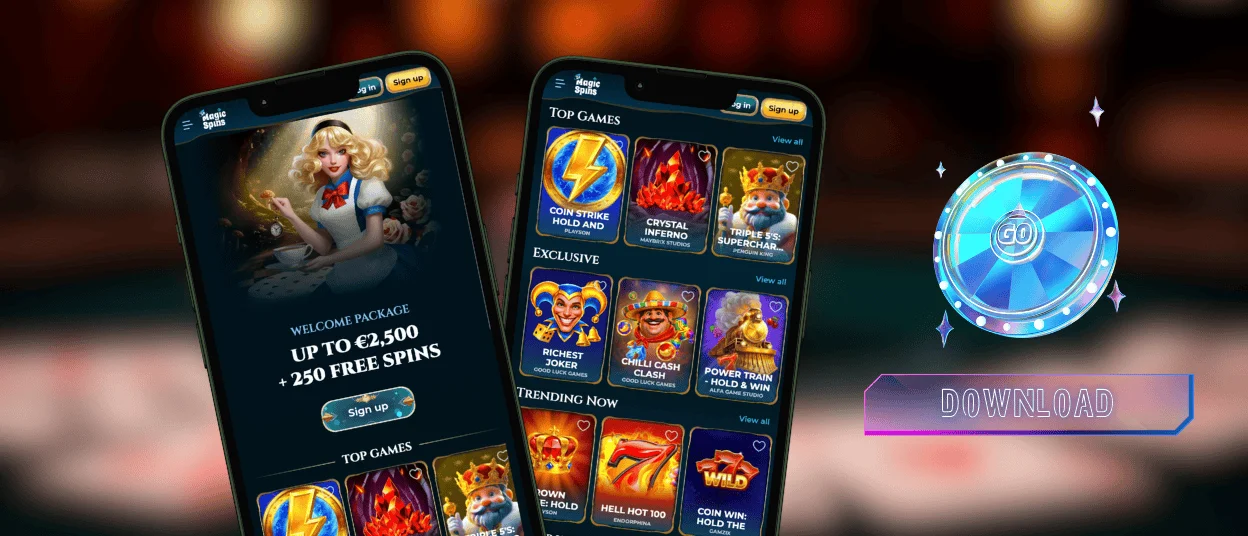
Desktop App for Windows and macOS
The Magicspins app is available not only on mobile devices but also on desktop computers. Our software can be installed on macOS and Windows operating systems in a few clicks via the official website.
The application on desktop offers the same array of features as the mobile app and the browser version. However, this version of the casino has been optimized for large screens, which makes it more convenient to navigate through the platform and explore the library.
Via the desktop app, users have a more comfortable choice for playing their favorite games, like online slots at the casino. Also, they can profit from profile management and claim bonus offerings and access tournaments and activities via the Magic Spins Casino browser option.

FAQ
Is creating an account required to use the Magic Spins app?
Not necessary. However, you won’t be able to fully profit from all the features of Magicspins Casino without an account. As soon as you register on the website, you gain the possibility to play games on the platform and claim bonuses. If you don’t sign up, you will only be able to play demo versions of our releases. After you register, make sure to go through the verification process.
Does the Magicspins Casino app offer customer support?
Absolutely. In case you encounter any difficulties on the Magic Spins platform, you can easily reach out for help no matter if you’re on the app or the desktop version. Our support team is available 24/7 via live chat or email. We offer multilingual support so you can chat with us in any language that feels comfortable for you.
How can I update the Magicspins Casino app?
There’s no need to update the application. The software does it itself automatically in the background. Simply make sure that your device is up-to-date; this way the application will perform at its best.


